
To redeem a Nintendo eShop Card code to your Nintendo account on Nintendo Switch, Wii U, and Nintendo 3DS:
- On Nintendo Switch
|
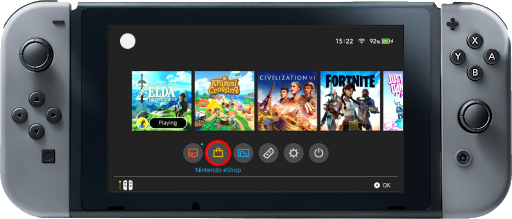
1. Go to the Nintendo Home screen; 2. Select the Nintendo eShop icon; |
|
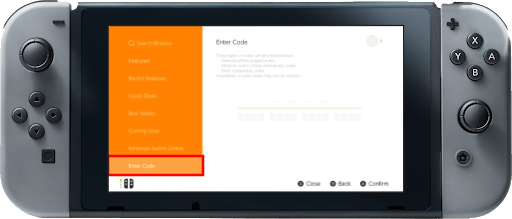
3. Select the account you want to use; 4. Select the Enter Code option on the left side of the screen; |
|
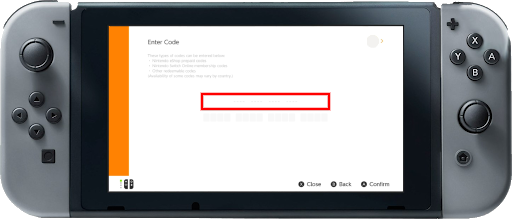
5. Enter the code; 6. Select OK to confirm. |
- On Nintendo Wii U
1. From the Wii U Menu, select the Nintendo eShop icon;
2. Select Enter Download Code. This is located at the top of the screen;
3. Enter the code.
- On Nintendo 3DS
1. Select the Nintendo eShop icon on the HOME menu;
2. Scroll left and select Add Funds;
3. Select the Redeem a Nintendo eShop Card option;
4. Enter the activation code.
5. Select OK to confirm.